

What you get
Four 2560×1440 stills of one product scene, from one prompt, for $0.16.
Time to read
About 4 minutes. The steps take about 5 minutes.
The example
One prompt and four takes on Seedream 4.5. Each take has its own seed, so the kettle, the cup and the steam are a little different in each picture.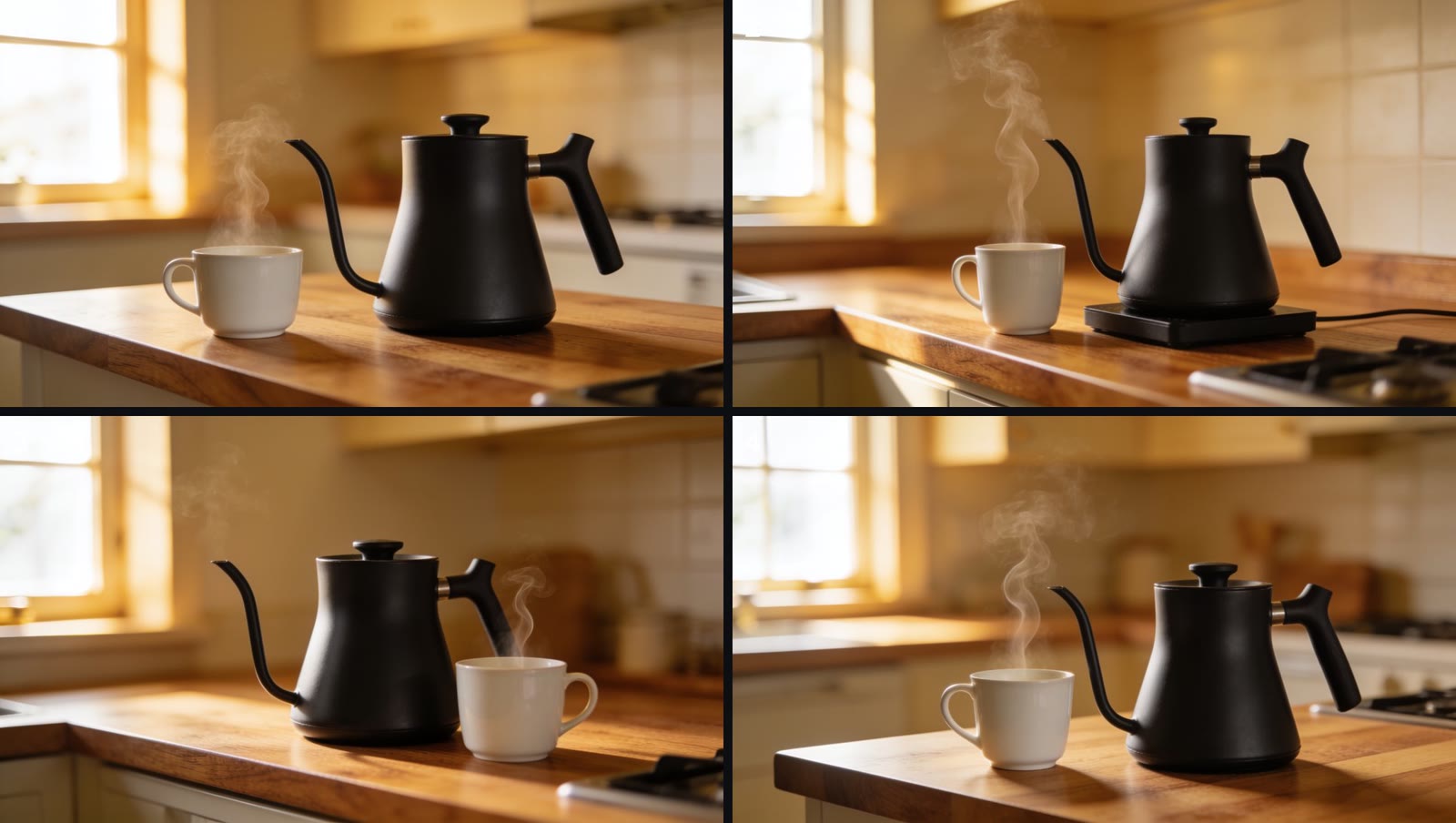
Four takes from one prompt on Seedream 4.5, 2560×1440 each. Model spend: $0.16 ($0.04 for each still) at the prices of November 2026.
The steps on the Image page with Seedream 4.5. Model spend: $0.16. The wait for the four takes (about 50 seconds) is cut. 36 seconds, no sound.
What you need
- The free and open source Vinci studio (the install is in step 1)
- A model provider key (this example uses Wavespeed)
- One sentence about the product, the place and the light
Steps
1
Start the studio with live spend on
http://127.0.0.1:4311. Open Connect on the left rail and add your provider key. Then pick Image on the left rail. Live spend stays off until you start the studio with VINCI_ALLOW_LIVE_SPEND=1. If the studio already runs, stop it first with ./scripts/vinci stop.2
Write what you want to see
Write one prompt: the product, the place, the light and the lens. Use the same words for the product in every prompt. The example prompt:
3
Pick a model
Click the model chip next to the prompt. The list shows the models of the providers that you connected: the featured models at the top, and all models below them. The example uses Seedream 4.5.
4
Pick the shape
Click the aspect chip. Pick 16:9 for a web page or a video, 9:16 for a phone screen, or 1:1 for a feed.
5
Make four takes at once
Click the batch chip and pick 4. Each take gets its own seed, so you get four different pictures, not one picture four times.
6
Check the price, then generate
The price is on the Generate button. Four takes on Seedream 4.5 show $0.160. Click Generate one time. The takes show at the top of the page.
7
Keep the best take
Hover a take to see its actions. You can mark it as a favorite, download it, or click Animate to make a clip from it. The next guide starts here: Turn a still into a 6-second clip.
Before you use a still
- The product has the same shape, color and label as the real product
- The shape fits where the still goes: 16:9, 9:16 or 1:1
- There is nothing in the picture that the prompt did not ask for
Two ways to go further
Let Vinci make it
Send us your product photos, and we return a set of stills in your brand style. Book a demo to get started.
Free and open source Vinci
Run the Vinci studio on your own machine with your own model keys. It shows the price before every run.