

The checks
Turning off a brand rule for a batch removes its check. For example, with Lock price and offer off, the price check does not run.
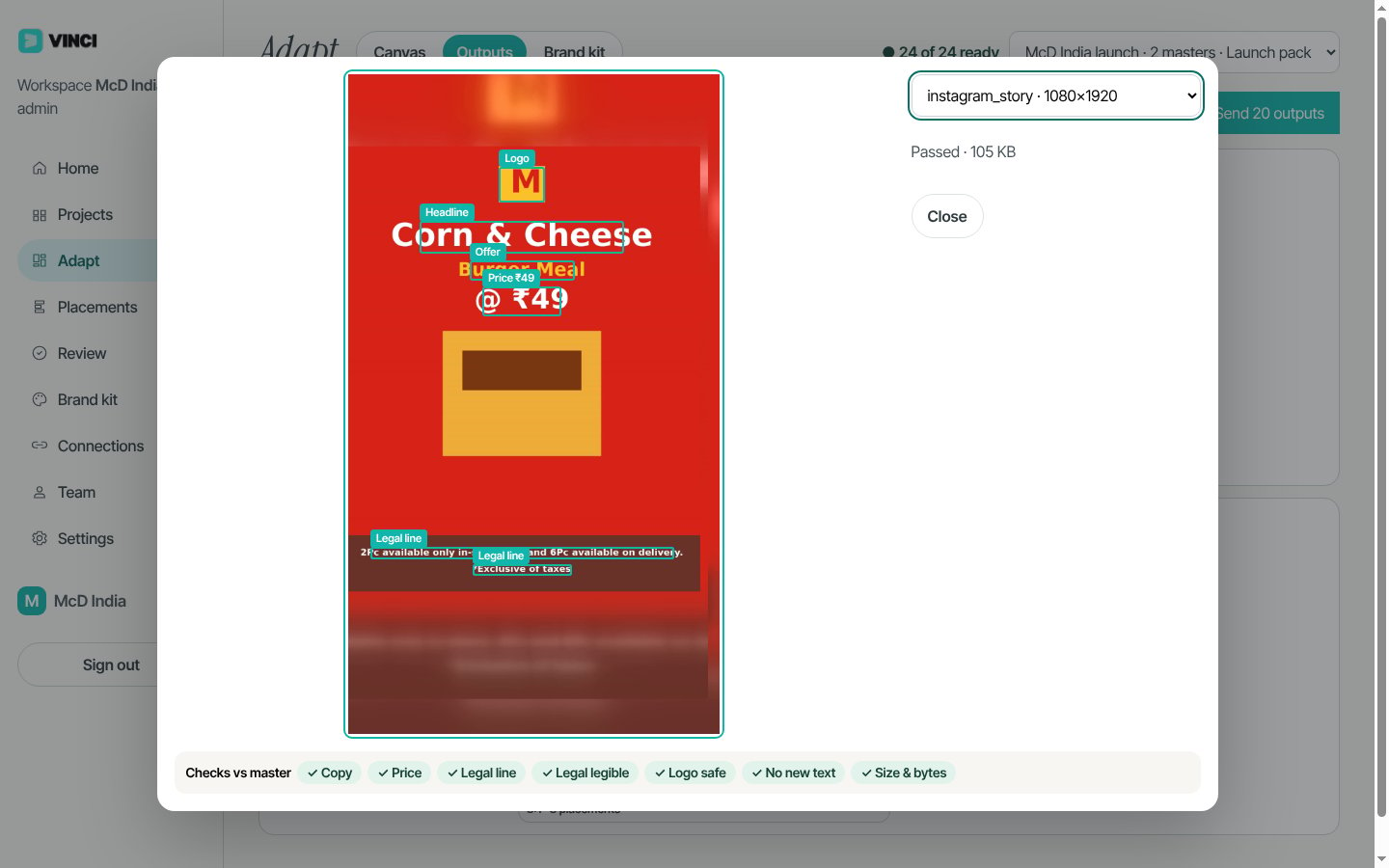
When a file fails
- Adapt re-lays out that shape once, naming exactly what was changed or dropped.
- If it passes, the new files replace the failed ones.
- If it fails again, its files are marked Needs review, a review task is created and the assigned reviewer is notified.
Reviewing
Open Review to see every held file with each check, its result and the reason. You can:- Approve a file to include it in exports and pushes.
- Leave it out of this batch.
- Re-run the shape with a note for the layout, for example “move the logo further from the corner” (available on enterprise only).
- Edit in place, nudging the logo or text block on the file and re-running the checks (available on enterprise only).
Approval workflows
For teams with a formal sign-off, Adapt can require approval of every file, not only the held ones, before export (available on enterprise only). You can set:- Reviewers by brand, market or campaign.
- Two-step approval, for example brand then legal.
- An audit trail of who approved each file and when, exportable for compliance.
Custom checks
You can add checks for your own rules (available on enterprise only), such as:- A required allergen or veg mark on every food placement.
- Minimum logo size or a fixed logo corner.
- Brand colours within tolerance.
- A banned-words list per market.