

Adapt is available on Vinci Enterprise. Features marked (available on enterprise only) are switched on per workspace; talk to your account team to enable them.
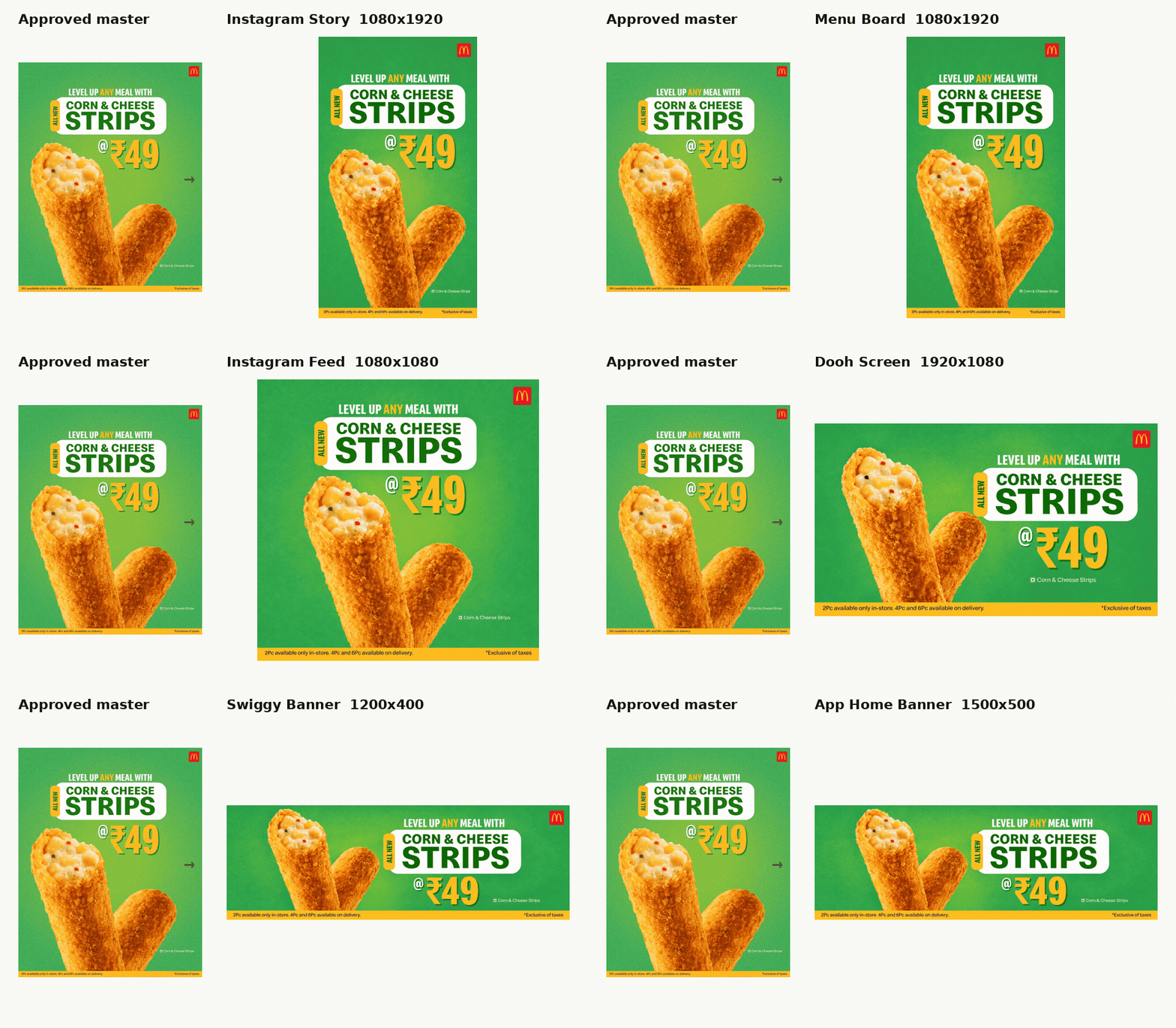
What you get
Every size from one master
Pick a pack of placements, or your own list. A 12-placement launch pack for one master is ready in two to three minutes.
Copy, price and legal locked
The headline, offer, price and legal lines are reproduced word for word. Only the background, layout and product scale change.
Checked before export
Each file is compared with the master. Files that fail go to a reviewer, never straight into your export.
Ship anywhere
Download a ready-to-upload zip, push to ad platforms, or run Adapt from Claude, ChatGPT or your own code.
Who it is for
- Brand and marketing teams that resize every launch into 10 to 50 sizes by hand.
- Agencies running many campaigns for many clients, with each client’s brand rules and its own branded workspace.
- Retail and QSR chains with in-store screens, delivery apps, print and paid media all running the same offer.
How a batch runs
- Upload one or more approved masters.
- Pick a pack, or a custom list of placements.
- Check the estimate, then run.
- Review anything that was held, then export or push.
Where you can use it
Next steps
Quickstart
Run your first batch in the web app.
Placements and packs
Every size Adapt makes, and how to add your own.