

Brand kit
Open Adapt → Brand kit to set: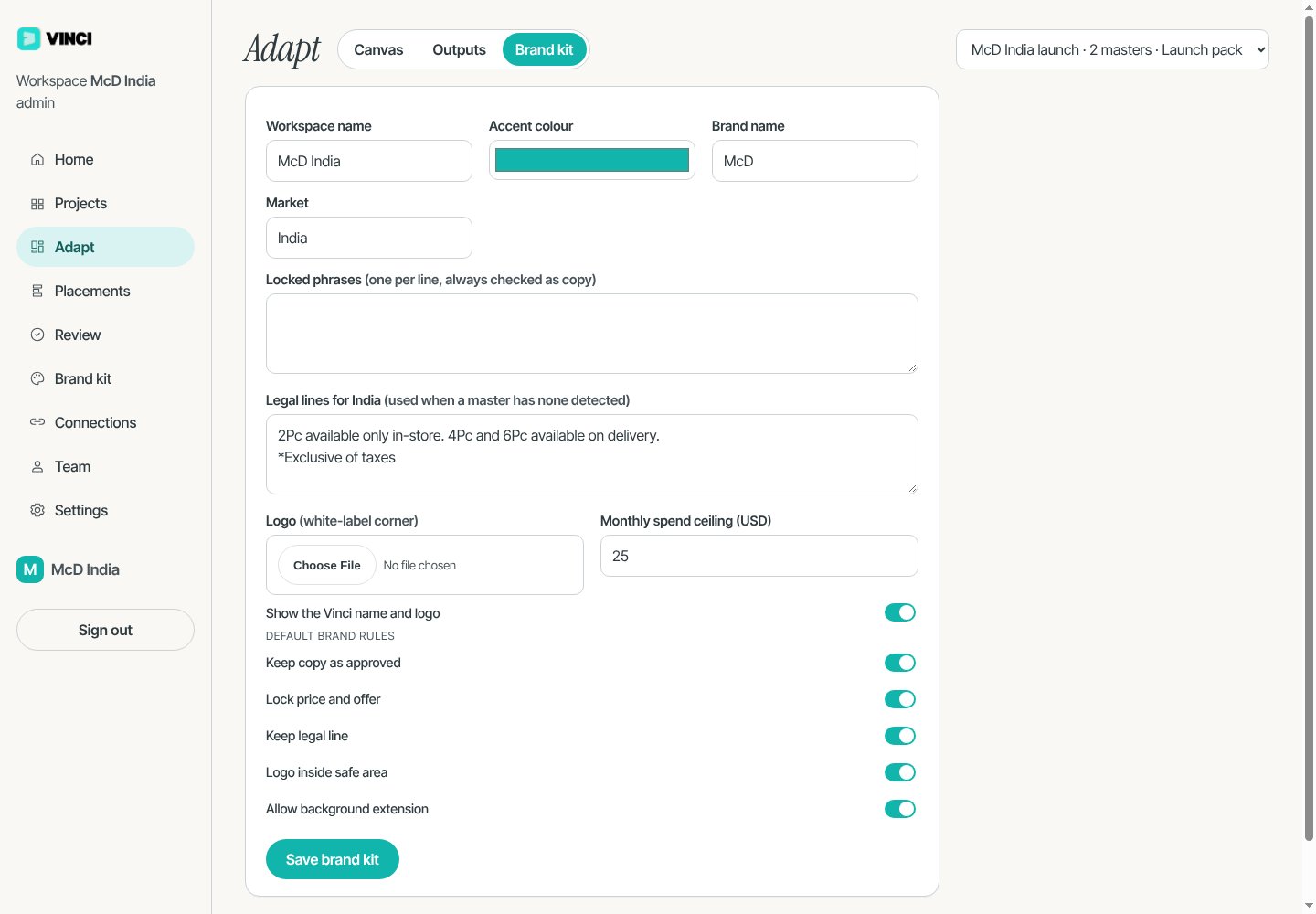
- Fonts and colours, so rebuilt layouts and compact banners use your type and palette.
- Required overlays, such as a mandated footer for digital menu boards, added to every placement that needs it.
- Markets and languages: one master per market, each with its own legal lines, or translated copy checked against an approved translation list.
Default brand rules
These apply to every batch unless a batch turns one off:Team and roles
Single sign-on (SAML or OIDC), SCIM user provisioning and custom roles are available (available on enterprise only).
Spending limit
Each workspace has a monthly spending limit. Every batch shows its estimate first, and a batch that would go past the limit is refused before anything is spent. Admins change the limit withPATCH /api/adapt/config (ceiling_usd), or ask your account team.
White-label
You can run Adapt under your own name, for example as “McD India Adapt” for a client:- Display name, logo and accent colour on every page.
- With Show Vinci off, Vinci’s name and links are removed from the app, emails, API responses and MCP tool descriptions.
- A workspace-specific MCP server URL.
- Your own domain, such as
adapt.yourbrand.com(available on enterprise only).
Security and data
- Masters and outputs are stored privately per workspace. Download links are signed and expire after 15 minutes.
- Connection tokens are encrypted at rest.
- Your masters are not used to train models.
- Data retention periods, regional data storage, audit logs and a security review pack are available (available on enterprise only).